Add text to a PDF
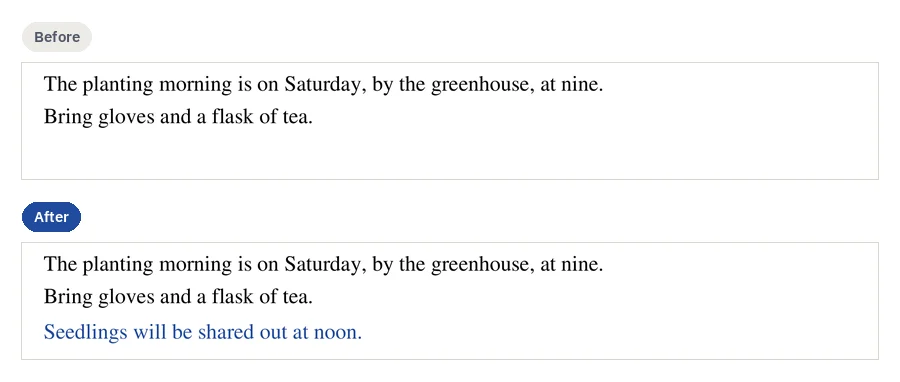
To add text to a PDF, open it in Edit PDF, press “Add text”, click where it goes and type. The words sit in a box over the page, in Helvetica, Times or Courier, at your size and colour. CECO PDF refuses a box that would hide words already on the page.
Open a PDF to add text — it opens the tool, with nothing to install.
- What it does: lays a text box over the page, as a real PDF annotation that other readers show and that you can take off again.
- The check: the page is read back after the box is added: its own content is the bytes it was, and no pixel outside the box changed.
- The price: Downloading costs nothing when all you did was add text boxes, images, shapes, highlights or notes, or crop, flatten or repair the file. Changing a word on the page is a correction, and downloads as a corrected document does.
Your PDF is kept with your documents and deleted after 90 days, or whenever you delete it; the privacy notice says what is kept, and why. Edit only documents that are yours, or that you are entitled to alter: the terms say who may. Identity documents are refused when they are uploaded.
How do I add text to a PDF?
- Open the PDF. Press the button above and choose your file.
- Press “Add text”, then click on the page where the words go, or drag to give the box its size.
- Type the words, and choose the face, the size and the colour.
- Press “Apply”. The box is laid over the page as one step, checked and recorded.
- Download it. The button says beforehand that adding text costs nothing.
Which fonts, sizes and colours can I use?
Three faces every PDF reader carries: Helvetica, Times and Courier, at any size from 4 to 400 points, in any colour. Nothing is embedded, so the file stays small and every reader draws them alike. A letter the face cannot draw is refused rather than printed as an empty box; Latin letters, Albanian and Western European ones included, work in every face.
A text box does not take the document's own font: a PDF often carries only the letters it uses, so new words are set in a standard face. To change words that are already there, in the page's own font, correct them instead.
Should I fill in the form instead?
If the PDF is a form, yes. Fill PDF finds its fields, its lines and its boxes, sets each answer in type that matches the form, and checks the page. A text box is for words where a form has no blank, or for a page that is not a form at all.
What if the words I want to change are already on the page?
Then a text box is the wrong tool: laid over a word, it hides it and leaves it in the file. Edit PDF refuses a box that would cover words on the page, and says what to do instead: “To change the words, correct them: a correction changes them in place, in the same type, and is checked and recorded.” Editing the text in a PDF changes the word itself.
Which tool is right for my words?
| What you want to do | The way |
|---|---|
| Put a line, a label or a comment where there is none | A text box, with “Add text” in Edit PDF |
| Answer a form's questions | Fill PDF: it finds the blanks |
| Fix a word that is already on the page | A correction: Edit PDF text, in the page's own font |
| Leave a remark for whoever reads it next | A note: “Note”, an icon that opens to show your words |
| Write new words over old ones | Refused: the old words would stay in the file |
Questions people ask
Can I add text to a PDF for free?
Adding it costs nothing. Downloading costs nothing when all you did was add text boxes, images, shapes, highlights or notes, or crop, flatten or repair the file. Changing a word on the page is a correction, and downloads as a corrected document does. The pricing page lists every tool's rule.
How do I add text to a PDF on a Mac?
In Safari, the same way: press “Add text”, click and type. Preview on a Mac adds text boxes too; Apple's guide says: “Type your text, then drag the text box where you want.”1 Editing a PDF on a Mac sets the two side by side.
Will other PDF readers show my text?
Yes. Each text box is a standard PDF annotation, so other readers show it. To make it part of the page, so that it cannot be moved, use “Flatten”; the record says the document was flattened.
Can I change or remove the text after adding it?
Before you press “Apply”, change it as you like. Afterwards, undo takes the step back, and each box can be taken off again on its own.
Can I add text to a scanned PDF?
Yes. A scan is a picture, and a text box goes over it as over any page. A box with a solid background is refused where it would hide words already in the scan, so set it on blank paper.
Can I add text on a phone?
Yes, in its browser. “Place at page centre” puts the box on the page without a pointer. Editing a PDF on an iPhone or iPad says more.
Related pages
- Edit PDF, for images, shapes, highlights and notes too
- Fill PDF, to fill a form's blanks
- Edit PDF text, to change words already on the page
- Sign PDF, to place your own signature
- Redact PDF, to take words out of the file for good
Sources
Each page below was read on 5 November 2026, on its maker's own website; a number beside a quotation leads to its page. Check a price or a limit there before you rely on it.
- Apple: Annotate a PDF in Preview on Mac. support.apple.com/en-gb/guide/preview/prvw11580/mac
Last updated